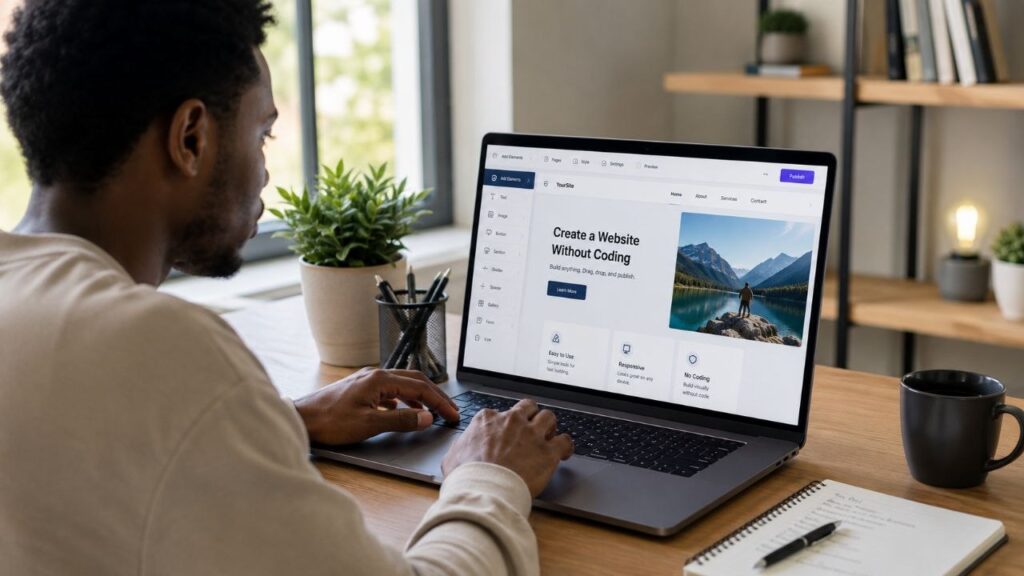
Building a website used to require learning programming languages like HTML, CSS, JavaScript, and PHP. Today, that’s no longer the case. Thanks to modern no-code website builders, almost anyone can create a professional-looking website without writing a single line of code.
After researching today’s most popular website-building platforms, comparing their features, pricing, customization options, and ease of use, I found that creating a website without coding is now faster, more affordable, and more accessible than ever. Whether you want to launch a blog, portfolio, online store, business website, or personal brand, there are tools designed to help you do it with drag-and-drop simplicity.
Here’s everything you need to know before getting started.
Why More People Are Choosing No-Code Website Builders
Many beginners search for questions like:
- Can I build a website without coding?
- What’s the easiest way to create a website?
- Which website builder is best for beginners?
- Can I make a professional website myself?
- Do I need to learn programming first?
The answer is encouraging: for many personal, business, and content-focused websites, you can build a polished site without any coding knowledge.
What Is a No-Code Website Builder?
A no-code website builder is a platform that lets you design websites visually instead of writing code.
Instead of programming layouts manually, you simply:
- Choose a template.
- Drag and drop sections.
- Add images and text.
- Customize colors and fonts.
- Publish your website.
Most platforms also include hosting, security updates, mobile optimization, and built in SEO tools.
Step 1: Decide What Kind of Website You Need
Before choosing a platform, think about your goal.
Common website types include:
- Personal blog
- Business website
- Online portfolio
- E-commerce store
- News website
- Landing page
- Photography portfolio
- Restaurant website
Choosing the right platform depends on what you plan to build.
Step 2: Choose the Right Website Builder
After comparing the most popular options, these stand out for different needs.
Wix
One of the easiest drag and drop builders available.
Best for:
- Beginners
- Small businesses
- Portfolios
- Service websites
Pros
- Beginner friendly
- Large template library
- AI assisted design tools
- Built in hosting
Cons
- Switching templates later can be difficult.
WordPress.com
Ideal for blogs and content-heavy websites.
Best for:
- Bloggers
- News websites
- Personal brands
Pros
- Excellent publishing tools
- Large theme selection
- Scales as your website grows
Cons
- Some advanced features require paid plans.
Squarespace
Known for premium looking templates.
Best for:
- Creatives
- Photographers
- Designers
- Agencies
Pros
- Beautiful designs
- Easy customization
- Built-in SEO tools
Cons
- Slightly less flexible than some competitors.
Shopify
Designed specifically for online stores.
Best for:
- E-commerce
- Product businesses
- Dropshipping
Pros
- Secure payments
- Inventory management
- Marketing tools
- Large app marketplace
Cons
- Monthly subscription costs can add up.
Webflow
Offers more design flexibility while still reducing the need for traditional coding.
Best for:
- Designers
- Agencies
- Advanced users
Pros
- Highly customizable
- Professional animations
- Responsive design controls
Cons
- Steeper learning curve than basic builders.
Step 3: Pick a Professional Template
Templates provide a ready made design that you can customize.
When selecting one:
- Choose a clean layout.
- Prioritize mobile responsiveness.
- Make sure text is easy to read.
- Avoid cluttered designs.
A simple design usually creates a better user experience.
Step 4: Customize Your Website
Most builders let you personalize your site by changing:
- Colors
- Fonts
- Images
- Logos
- Navigation menus
- Buttons
- Contact forms
Keep your branding consistent across every page.
Step 5: Add Essential Pages
Most websites should include:
- Home
- About
- Contact
- Privacy Policy
- Terms of Service (if applicable)
Depending on your goals, you may also add:
- Blog
- Services
- Portfolio
- FAQ
- Testimonials
- Shop
Step 6: Optimize for Mobile Devices
A large percentage of website visitors now browse using smartphones.
Before publishing:
- Test navigation.
- Check image sizes.
- Ensure buttons are easy to tap.
- Verify that text is readable.
A mobile-friendly website improves both user experience and search visibility.
Step 7: Improve Your SEO
Even without coding, you can optimize your website for search engines.
Focus on:
- Descriptive page titles
- Clear meta descriptions
- Fast loading speeds
- Image alt text
- Simple URLs
- Internal links between related pages
Good SEO helps search engines understand your content and can improve visibility over time.
Recommended Tools
These tools can make building and managing a website easier.
Canva
Create logos, banners, featured images, and social media graphics.
Google Analytics
Track website traffic, visitor behavior, and popular pages.
Google Search Console
Monitor how your site appears in Google Search and identify indexing issues.
Unsplash and Pexels
Find high quality royalty free images for your website.
ChatGPT
Generate ideas, draft content, refine headlines, and brainstorm page layouts.
Common Mistakes Beginners Make
Avoid these common issues:
- Choosing overly complicated designs.
- Ignoring mobile optimization.
- Using low-quality images.
- Publishing without proofreading.
- Forgetting to add contact information.
- Neglecting SEO basics.
- Overloading pages with animations or unnecessary elements.
Keeping your website clean and easy to navigate often leads to a better experience for visitors.
Frequently Asked Questions
Can I really build a website without coding?
Yes. Modern website builders allow you to create fully functional websites using visual editors and pre-designed templates.
Is a no-code website good for businesses?
Yes. Many small businesses, freelancers, creators, and even larger organizations use no code platforms for websites, landing pages, and online stores.
Can I add coding later?
In many cases, yes. Some platforms allow custom HTML, CSS, or JavaScript if you decide to add more advanced features in the future.
Final Thoughts
Building a website no longer requires years of programming experience. Based on my research, today’s no-code website builders offer an excellent balance of simplicity, flexibility, and professional design, making them a practical choice for beginners and experienced creators alike.
By choosing the right platform, starting with a clean template, optimizing for mobile devices, and following basic SEO practices, you can launch a professional website that looks polished and performs well. Whether your goal is to share ideas, grow a business, showcase your work, or sell products online, building a website without coding has never been more achievable.